 Viewing Correlated Alerts
SmartOps AIOps correlates alerts based on Alert Correlation Policy. Policy settings can be done using the correlation methods. The correlated alerts are displayed in the Alert screen as clusters.
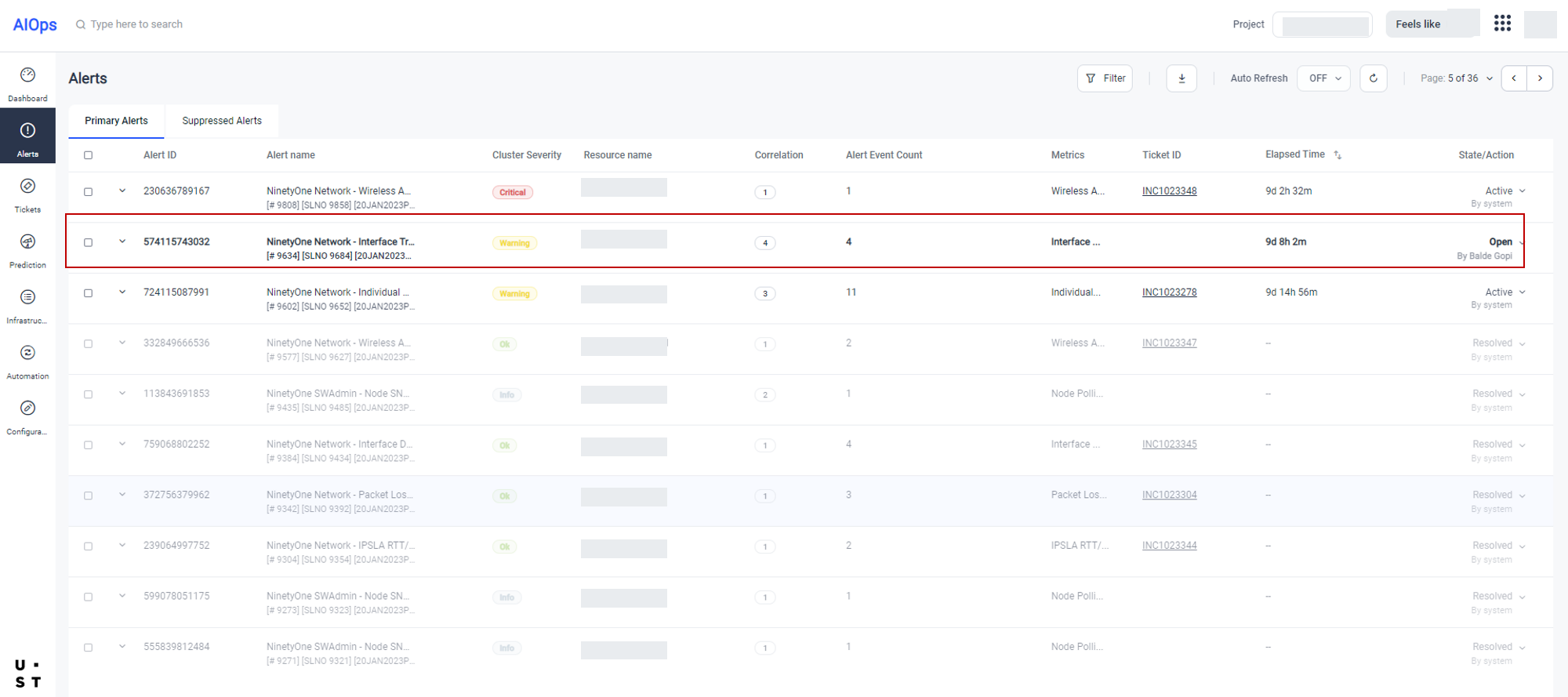
Click on the number corresponding to Correlation field to view the list of correlated alerts.
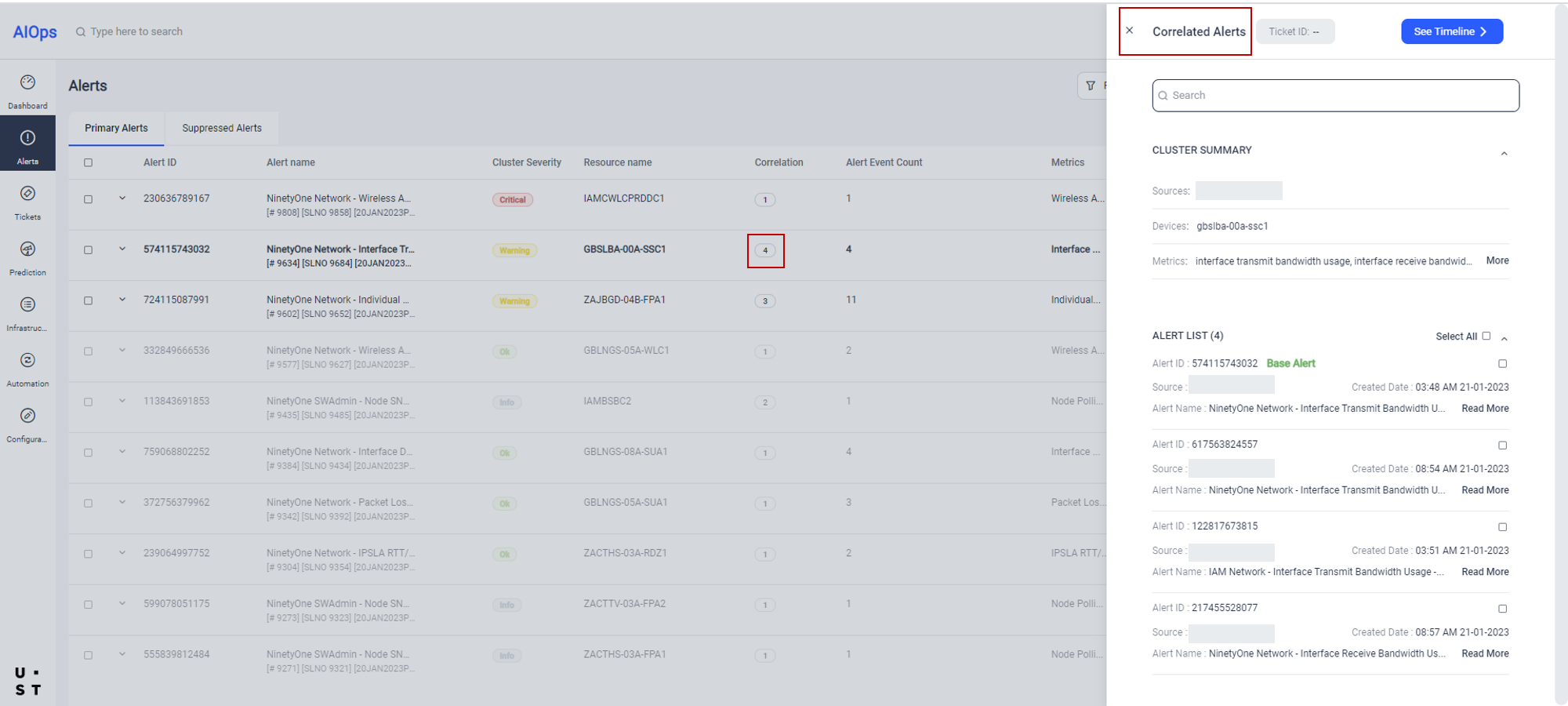
Correlated Alerts window, displays Cluster Summary and Alert List.
Cluster Summary displays the following details:
- Source
- Device
- Metrics
Alert details displays the following details:
- Alert ID: Unique identifier corresponding to the alert
- Source: Source from where the alert originated
- Alert Name: Name of the alert
- Created Time: Time of alert creation (This includes Date and Time)
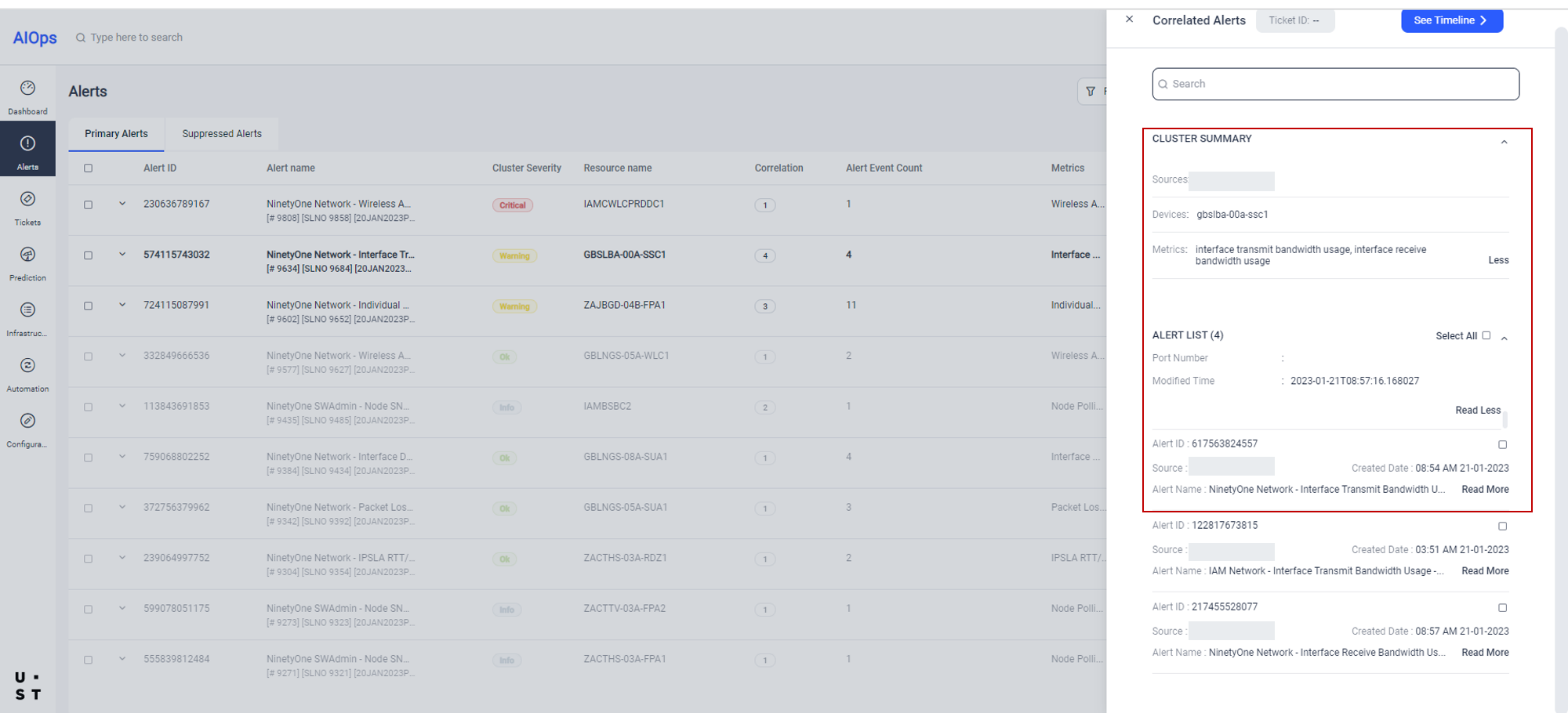
To display more details of a Cluster/ Alert, click on corresponding More/Read More option . All the configured details will be displayed.
The correlated alerts will get ticketed automatically. The alerts which are not ticketed automatically, need to be ticketed manually.
(Refer: Managing Tickets for more details)
Copyright © 2025 UST . All Rights Reserved.