 Viewing Suppressed Alerts
AIOps offers Alert Suppression feature to reduce alert noise. User can setup business rules for categorizing alerts into suppressed alerts and non-suppressed alerts.
Suppressed alerts will not be sent to the primary data store. So these alerts will not go through alert enrichment and correlation processes.
To view the suppressed alerts, navigate to alert screen and select Suppressed Alerts from the dropdown.
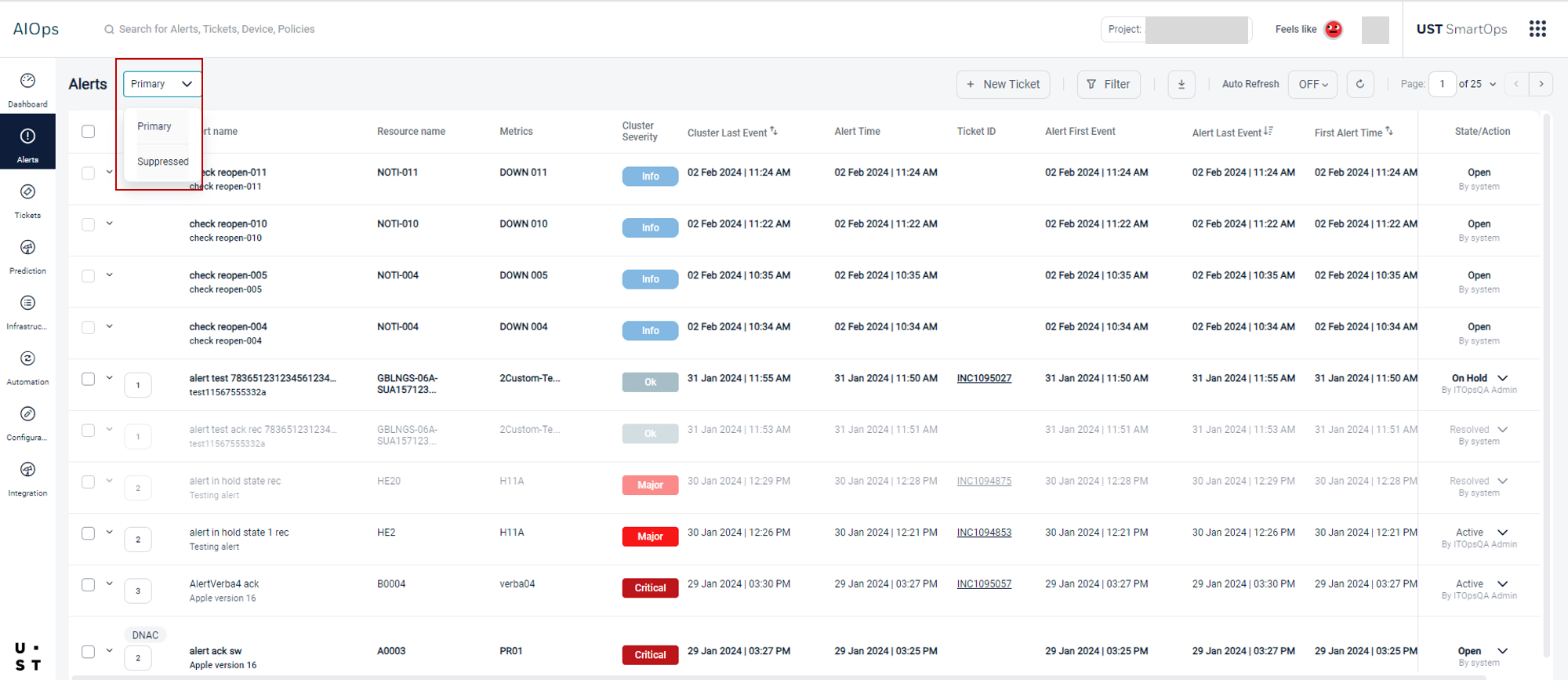
User can manually create a ticket for the suppressed alerts by selecting the New Ticket option.
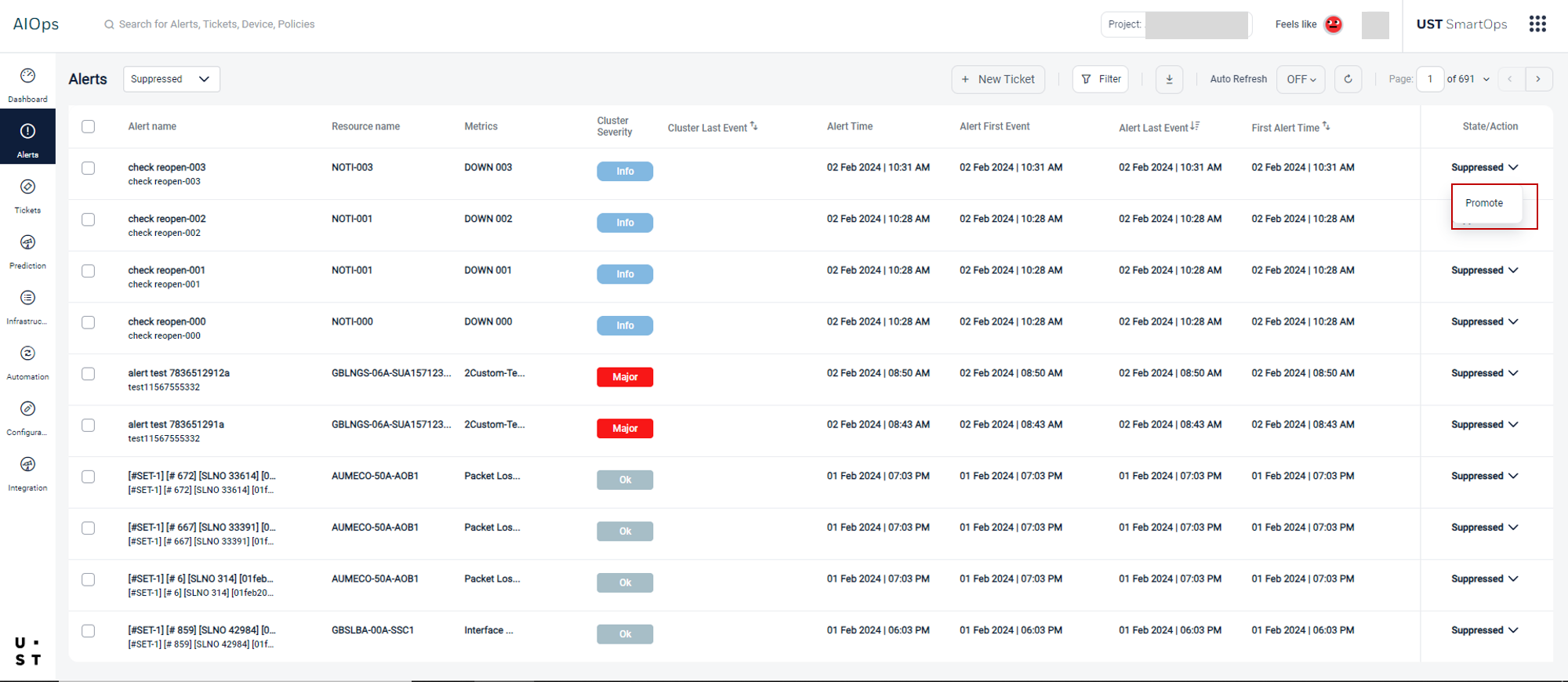
Suppressed alerts can be filtered based on the severity or by writing a custom query.
To download the suppressed alerts, select the required alerts and click on the download option. The download is limited to 40000 recent alerts from the selected date range.
User can manually promote a suppressed alert to the active alerts list by selecting the Promote option corresponding to the suppressed alert.
Note: Suppressed Alerts tab can be enabled/ disabled from the Alert Suppression Configuration screen
Refer Configuring Alert Suppression and Alert Suppression for more details.
Copyright © 2025 UST . All Rights Reserved.