 Configuring Alert Suppression

AIOps offers Alert Suppression feature to reduce alert noise. User can setup business rules for categorizing alerts into suppressed alerts and non-suppressed alerts.
Deduplication process merges related alert events to a single alert, thereby reducing the numerous alert events into much fewer alerts.
Some of the deduped alerts are suppressed from further processing based on the configured business rules.
To define Alert Suppression,
- Select Configuration tab in AIOps
- Select Alert Suppression from the left pane.
Alert Suppression screen will appear.
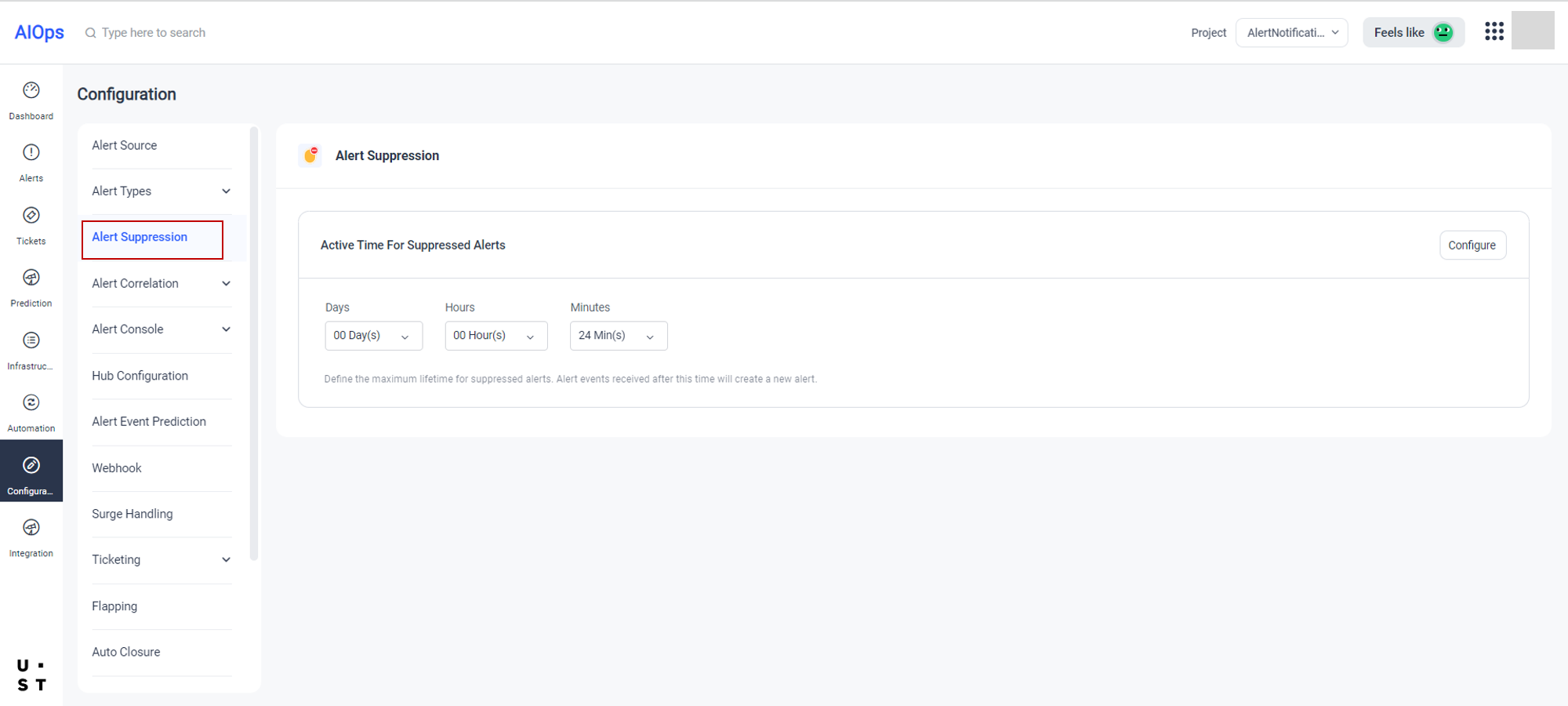
Here you can define the maximum lifetime for suppressed alerts. Alert events received after this time will create a new alert.
User can also configure rules for categorizing alerts into suppressed alerts and non-suppressed alerts.
Select the Configure button from the Alert Suppression screen. Following screen will appear.
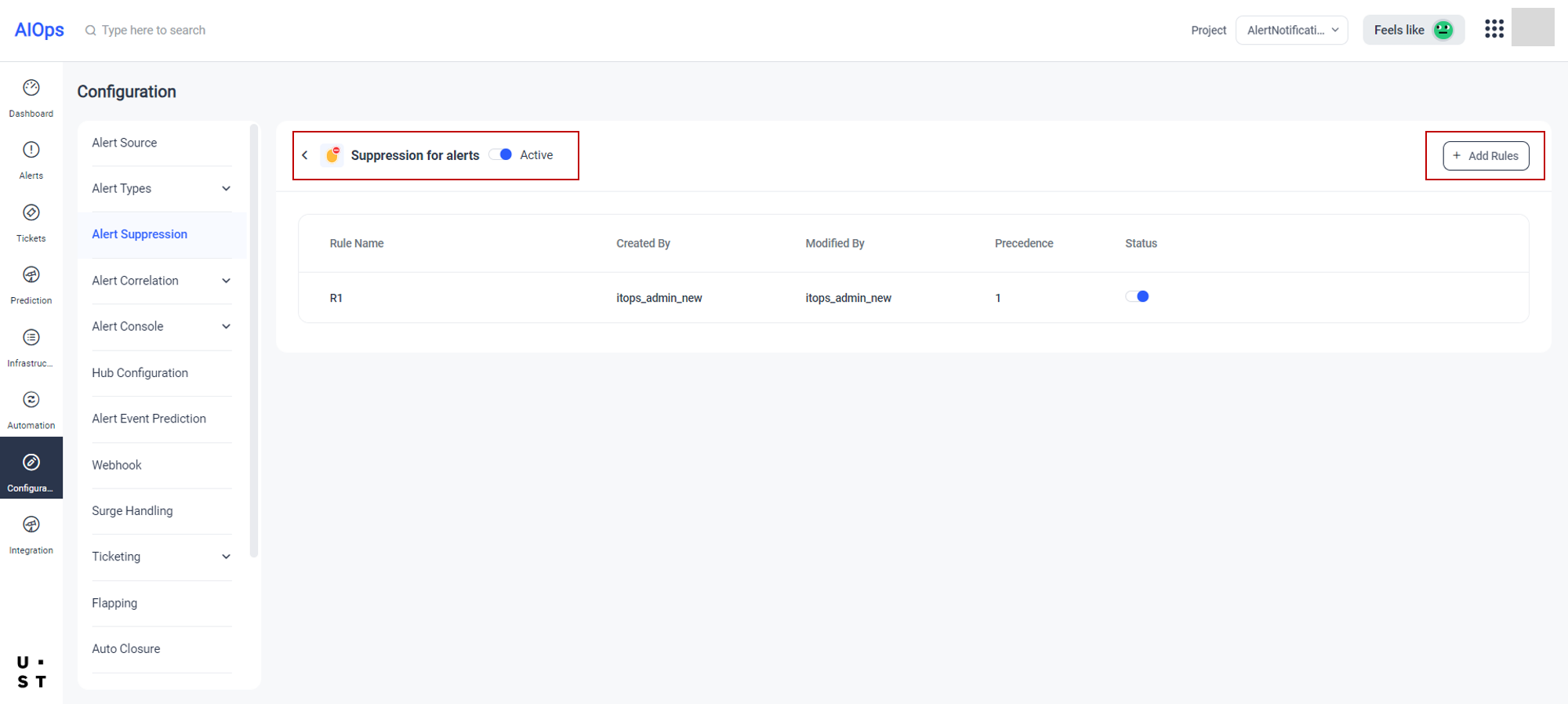
From this screen, user can enable or disable the Suppression tab in Alerts screen by selecting the radio button corresponding to Suppression of Alerts.
User can create Rules for suppression by selecting the Add Rule button. Already created Rules will be listed in this screen.
Click on Add Rule to create a new rule.
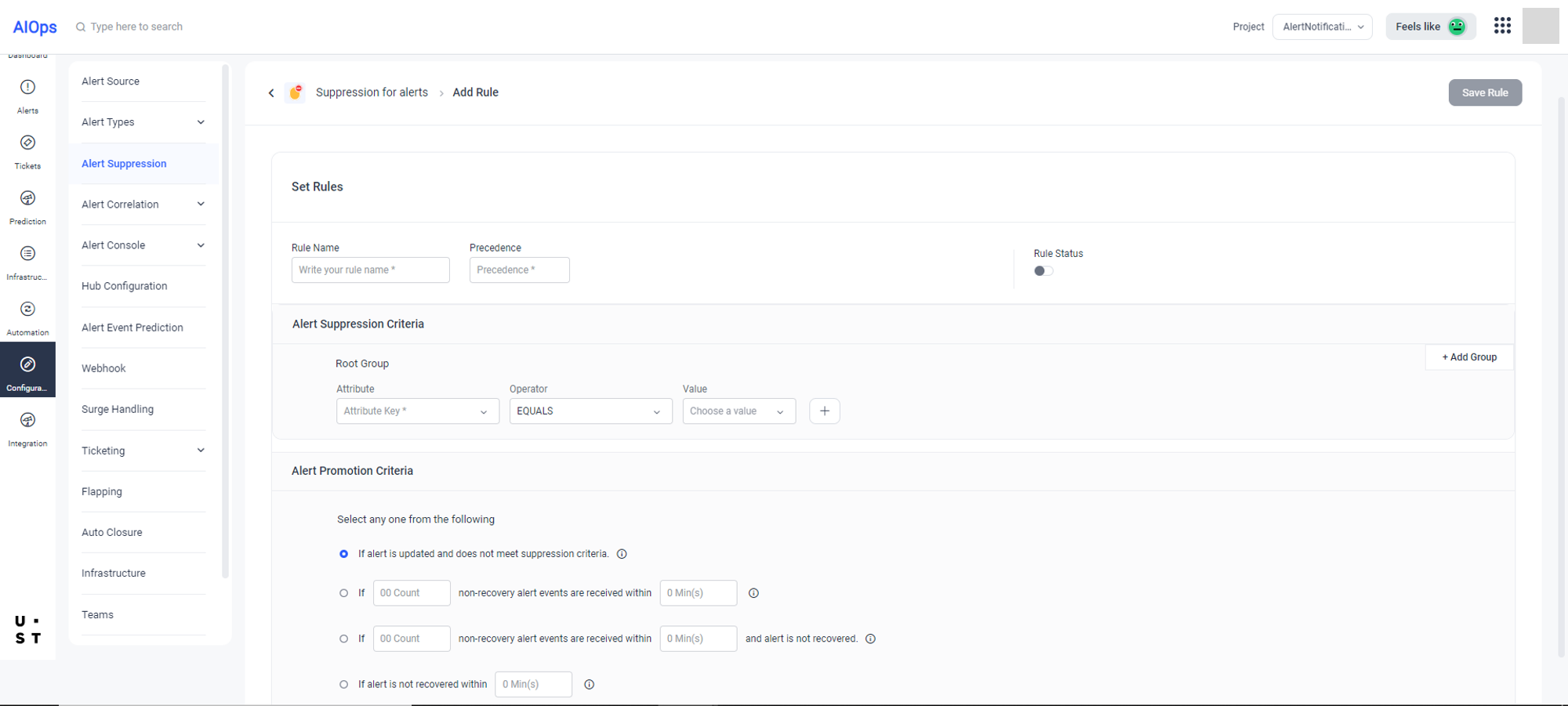
Suppression Rules are with different types of Rules with precedence. Each Suppression Rule consists of a Suppression Criteria and a Promotion Criteria.
User can set the precedence and configure the Alert Suppression and Promotion Criteria from here.
Alert will be suppressed if first alert event meets the Suppression Criteria.
There are 4 types of Promotion Criteria.
- If alert is updated and does not meet selection criteria. (* Active time for alerts suppressed due to this criteria is the defined active time for suppressed alerts)
- If <count> non-recovery alert events are received within <mins>. (* Alert will be promoted at the end of time period)
- If <count> non-recovery alert events are received within <mins> and alert is not recovered. (* Alert will be promoted at the end of time period)
If alert is not recovered within <mins>. (* Alert will be promoted at the end of time period)User can select one Promotion Criteria and when the suppressed alert event meets the selected criteria, it will get promoted as an alert event.
While promoting a suppressed alert on meeting the promotion criteria, other suppression rules will not be rechecked.
If a suppression rule is disabled or deleted, the currently suppressed alerts will remain suppressed, and their lifecycle will end. Any new event will start afresh.
Copyright © 2025 UST . All Rights Reserved.