 Defining Project Configurations
On the successful creation of the project, you will be taken to the Project Configuration tab where you can further define project configurations.
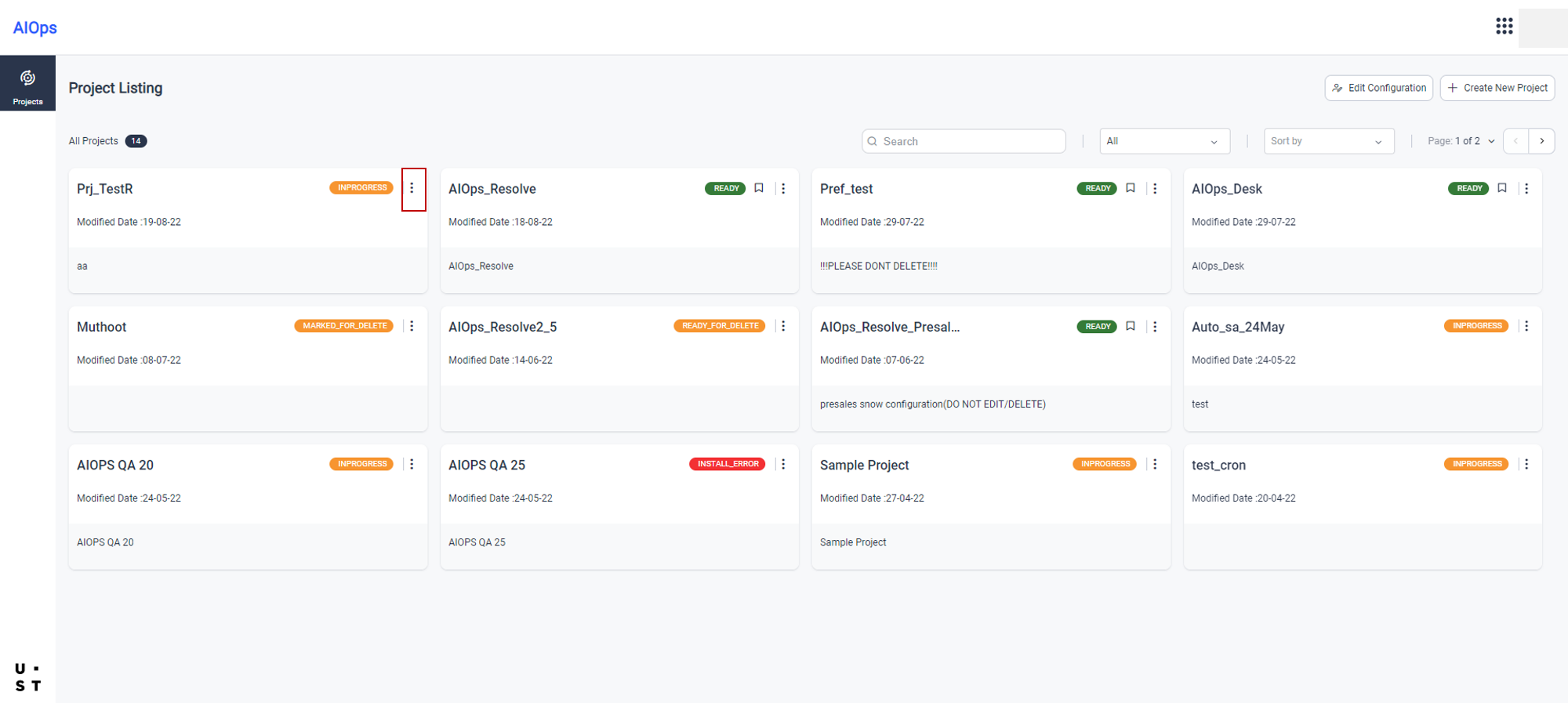
Alternately, you can also view the newly created project in the Project Listing screen and click the  icon to edit and update the project configurations.
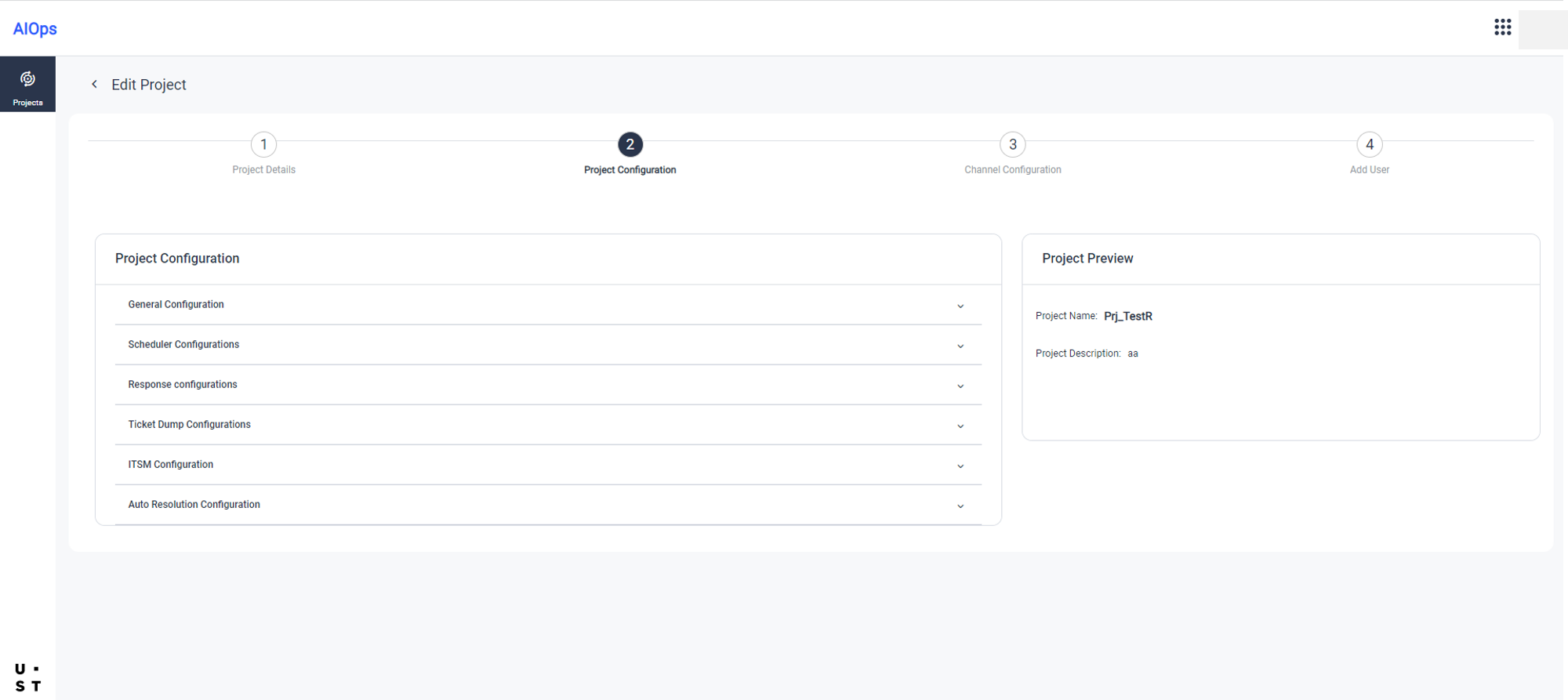
Project Configurations tab of Create Project screen consists of following blocks:
- General Configuration - you can select the product flavor from here.
- Scheduler Configurations
- Response configurations
- Ticket Dump Configurations
- ITSM Configuration
- Auto Resolution Configuration
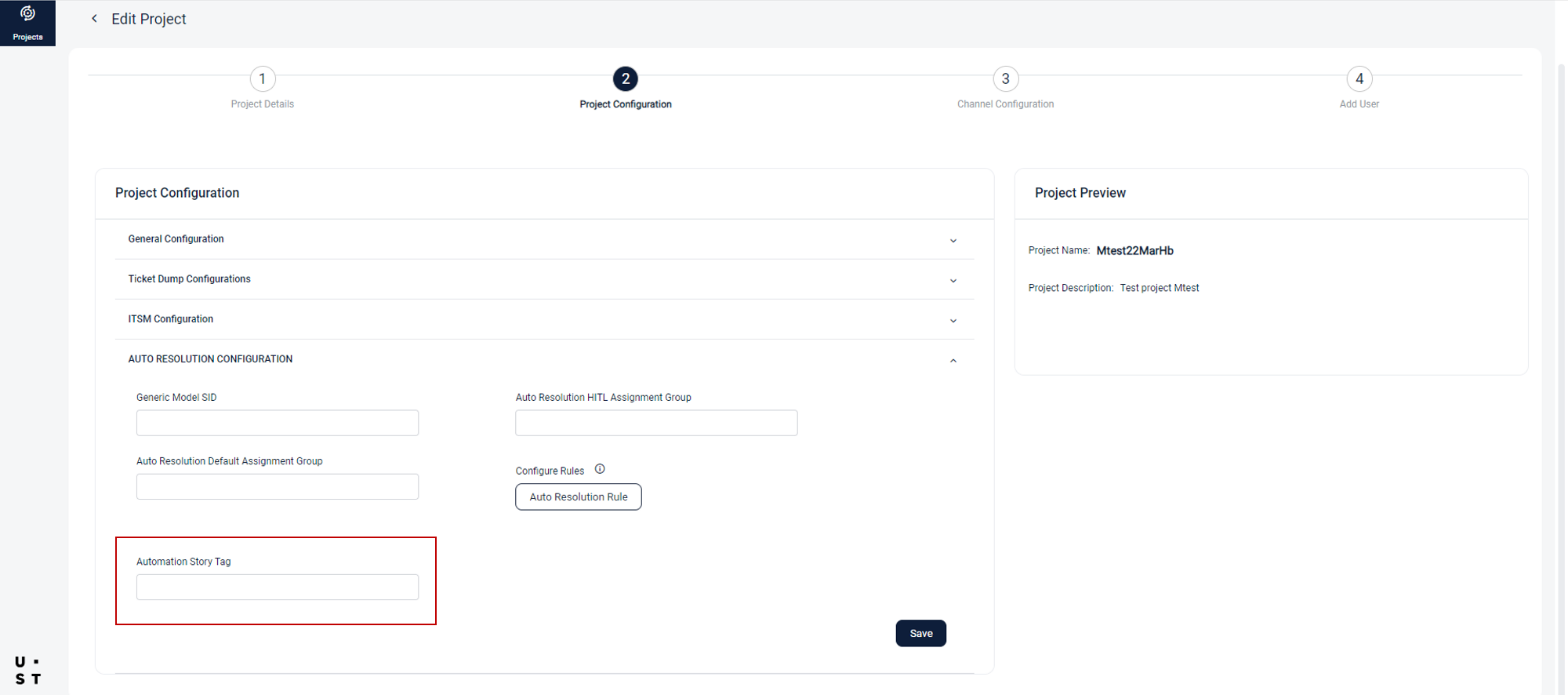
Expand each block and enter the details. Click Save to save the configurations.
In Auto Resolution Configuration block, a project specific, user defined, Automation Story Tag can be assigned for Automation Stories. Only the Automation Stories with this tag will be displayed to users in Automation/Auto Resolution screens.
Copyright © 2025 UST . All Rights Reserved.