
Viewing Ticket List
Screen Navigation: AIOps > Project > Tickets

The Ticket listing page provides a comprehensive view of tickets in a single pane.
To view the Ticket Listing page, select the Tickets option from AIOps.
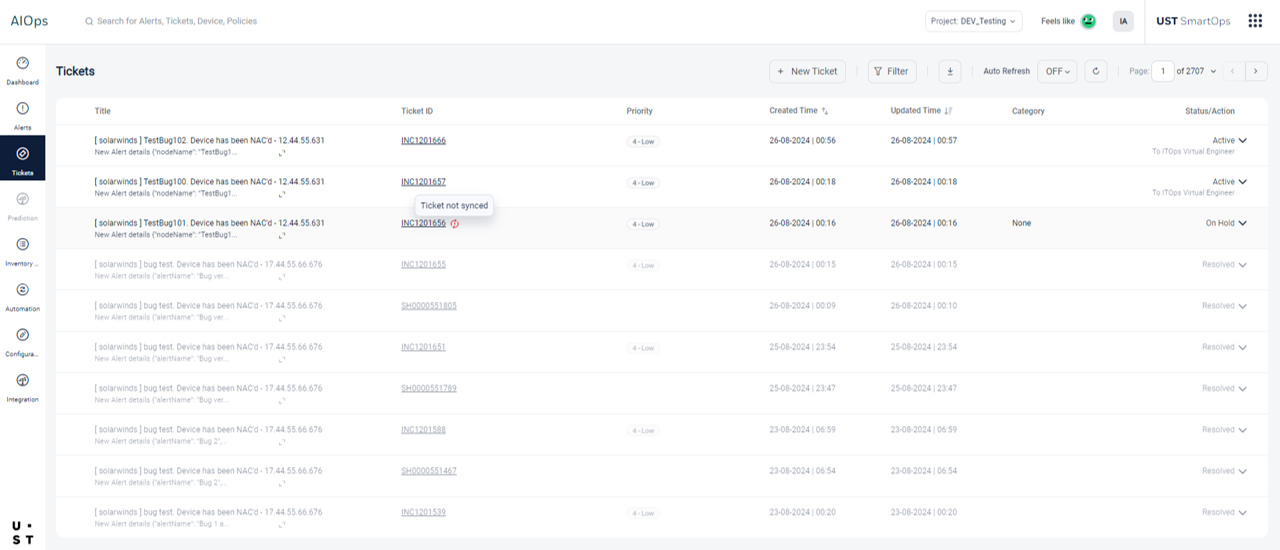
The following details are displayed in the Tickets screen:
- Title: Title for the ticket.
- Ticket ID: Unique identifier of the ticket.
- Priority: Priority level for the ticket.
- Created Time: Date and time when the ticket was first created.
- Updated Time: Date and time when the ticket was finally updated.
- Category: Category of the ticket.
- State/Action: Current state of the ticket and possible next actions such as Assign, Hold, Recommended Resolution, Resolve.
Sync Status Indicator
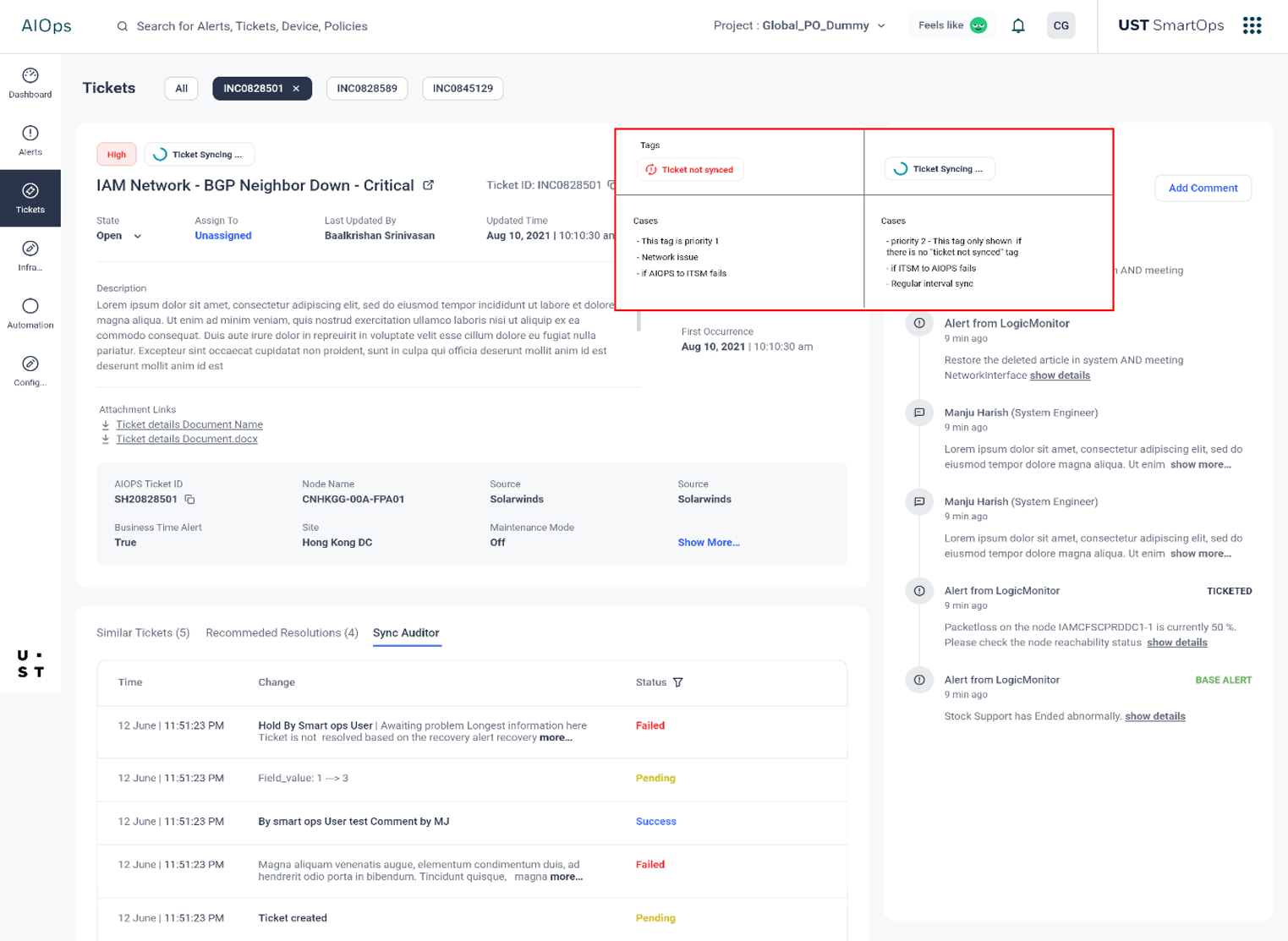
A sync status indicator-Ticket not synced- can be seen on the Ticket Listing Page. This status is displayed when the sync between ITSM and AIOps fails or encounters network issues.
Ticket details Page
Select the Ticket Id corresponding to a ticket, for a comprehensive view of that particular ticket.
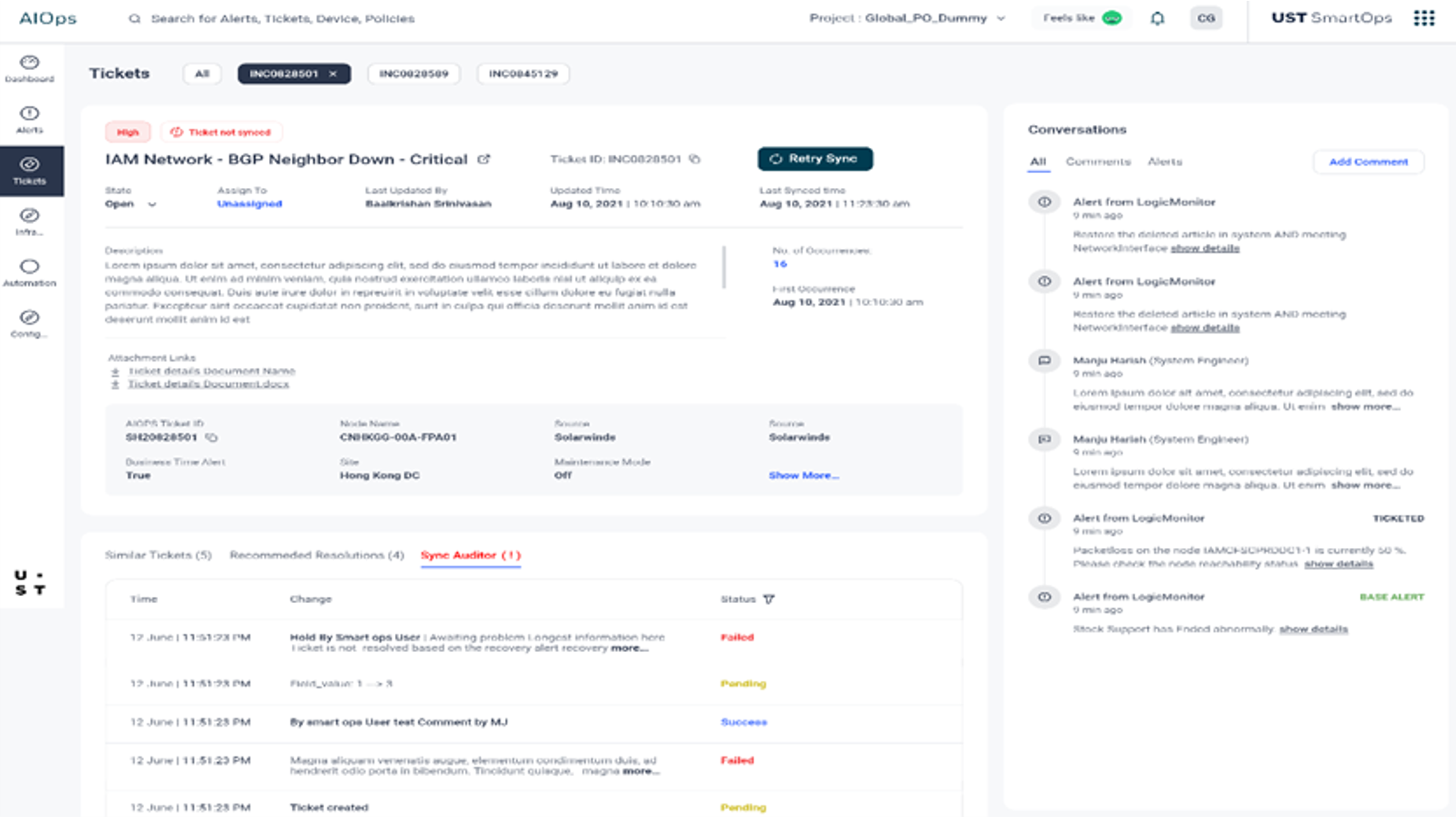
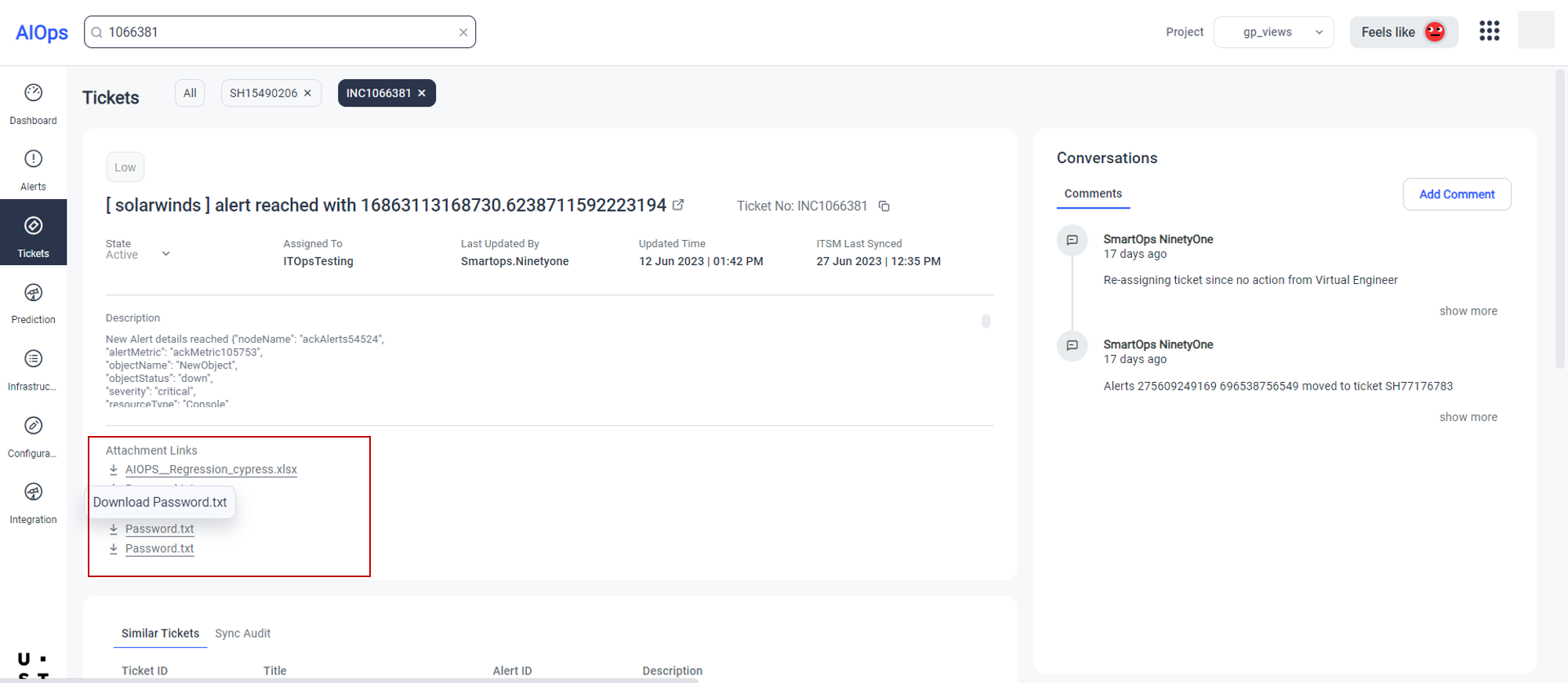
Viewing ticket attachments
Any attachments from ITSM will be synced to AIOps ticket details page.
The attachments can be downloaded directly from here.
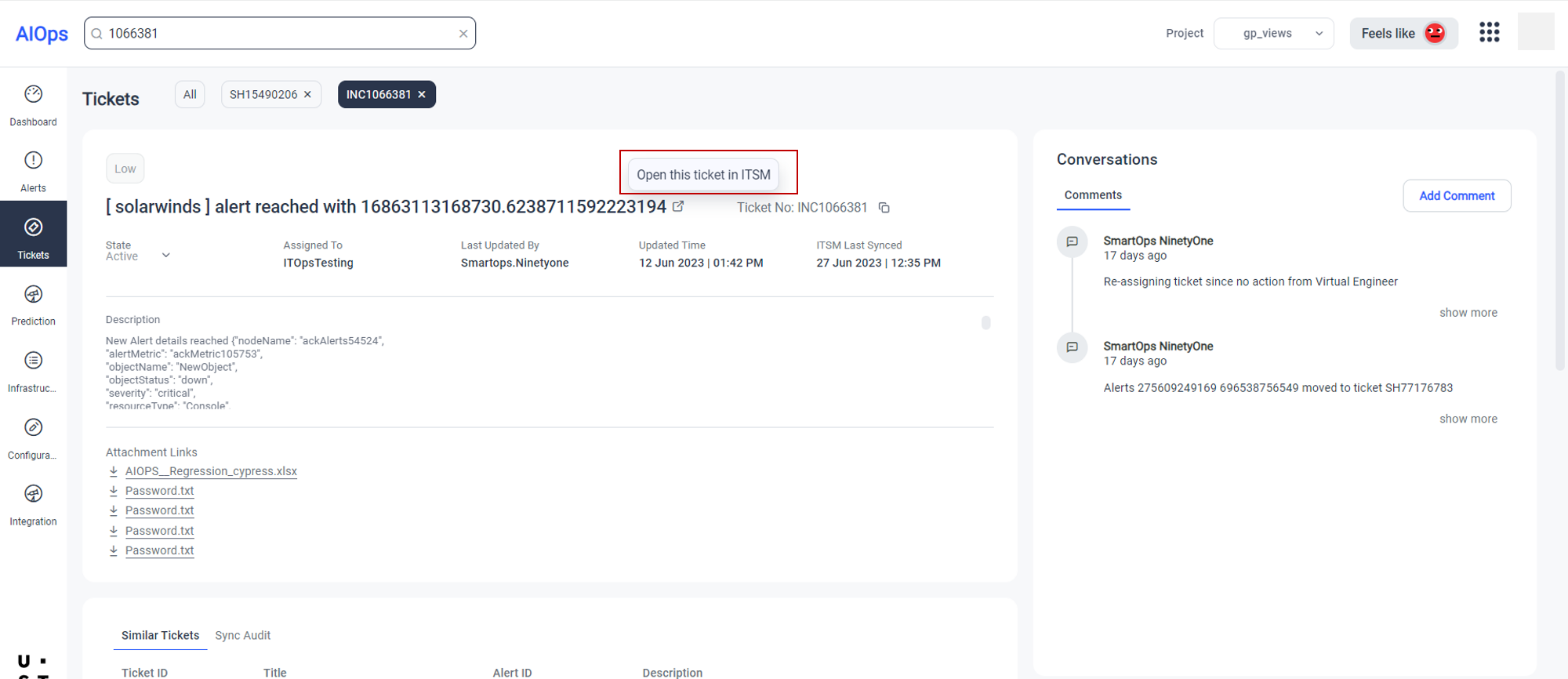
Switching to ITSM ticket from AIOps ticket
Users can easily switch to ITSM ticket corresponding to an AIOps ticket directly from the ticket details page of AIOps.
User can attempt resync on any ticket which has failed ITSM sync after max retry by selecting the Retry Sync button.
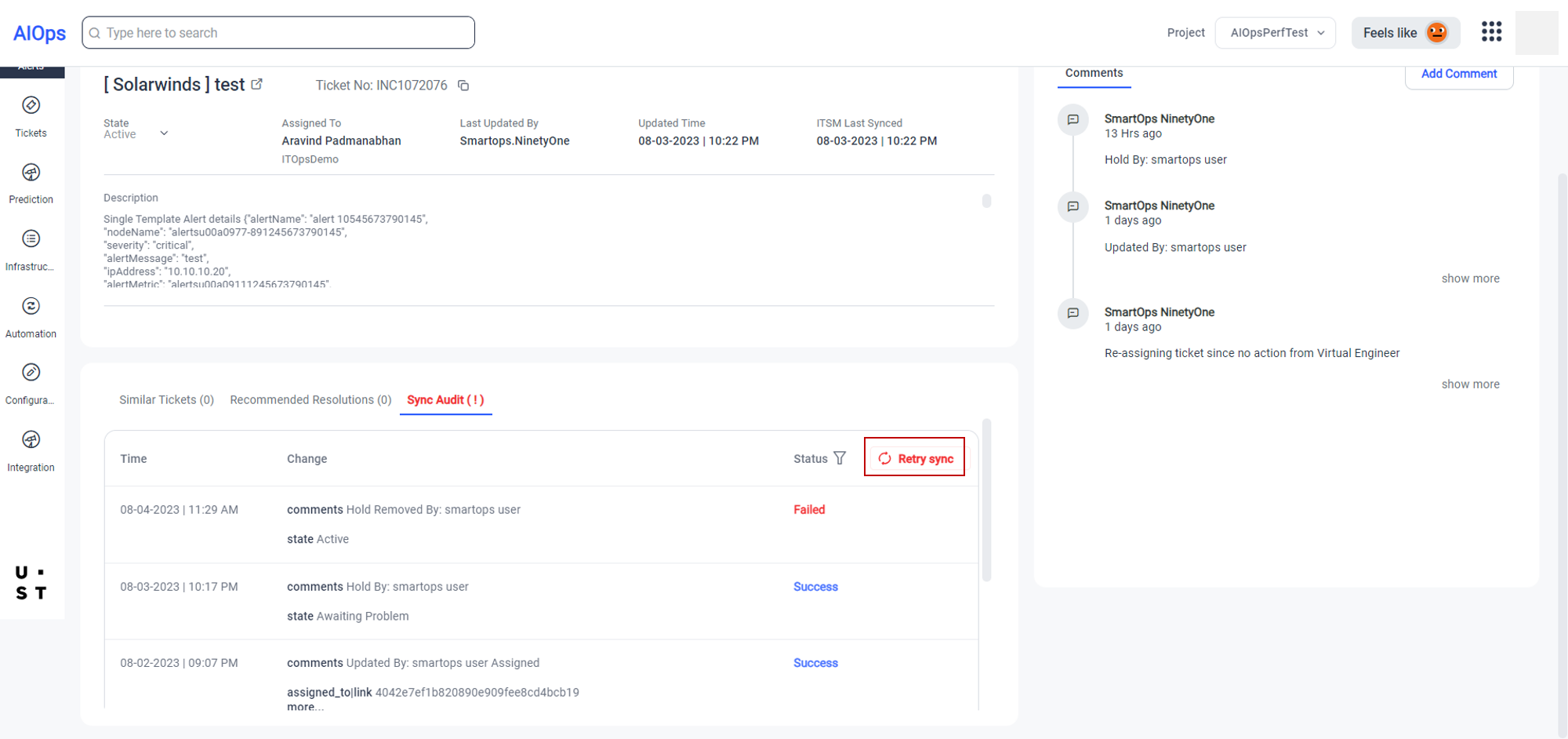
AIOps supports parallel processing for ticket and alert updates while the page loads, improving efficiency and reducing wait times.
Sync Status indicator displays the current sync status.
Ticket not synced: Displayed when the sync between ITSM and AIOps fails or encounters network issues.
Ticket syncing: Displayed when parallel processing is running, indicating that sync is pending between ITSM and AIOps.
Copyright © 2025 UST . All Rights Reserved.