
Ticket Creation - Manual

Persona:AIOps Admin
A ticket needs to be manually created for the following scenarios:
- Acknowledgement alert that needs to be ticketed
- Splitting a ticketed cluster
- Ticketing of alert cluster which failed to correlate and is in COR ERR state
To create a ticket manually in the above mentioned scenarios,
- Go to Alerts console by selecting Alerts option from AIOps.
- Click on the Correlation field corresponding to the alert cluster
Select the required alerts from correlated alerts window and click on Create Ticket.
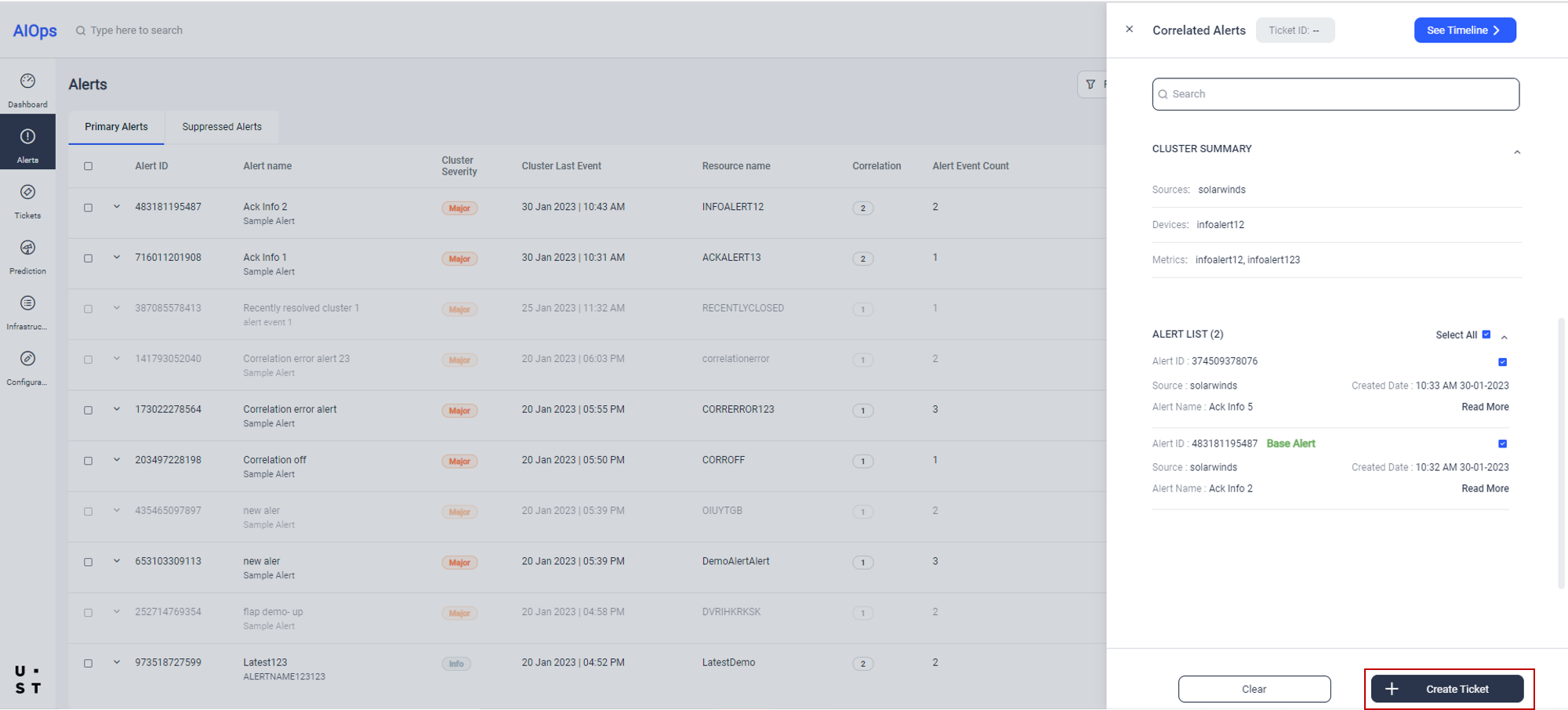
Confirm ticket creation window will appear.
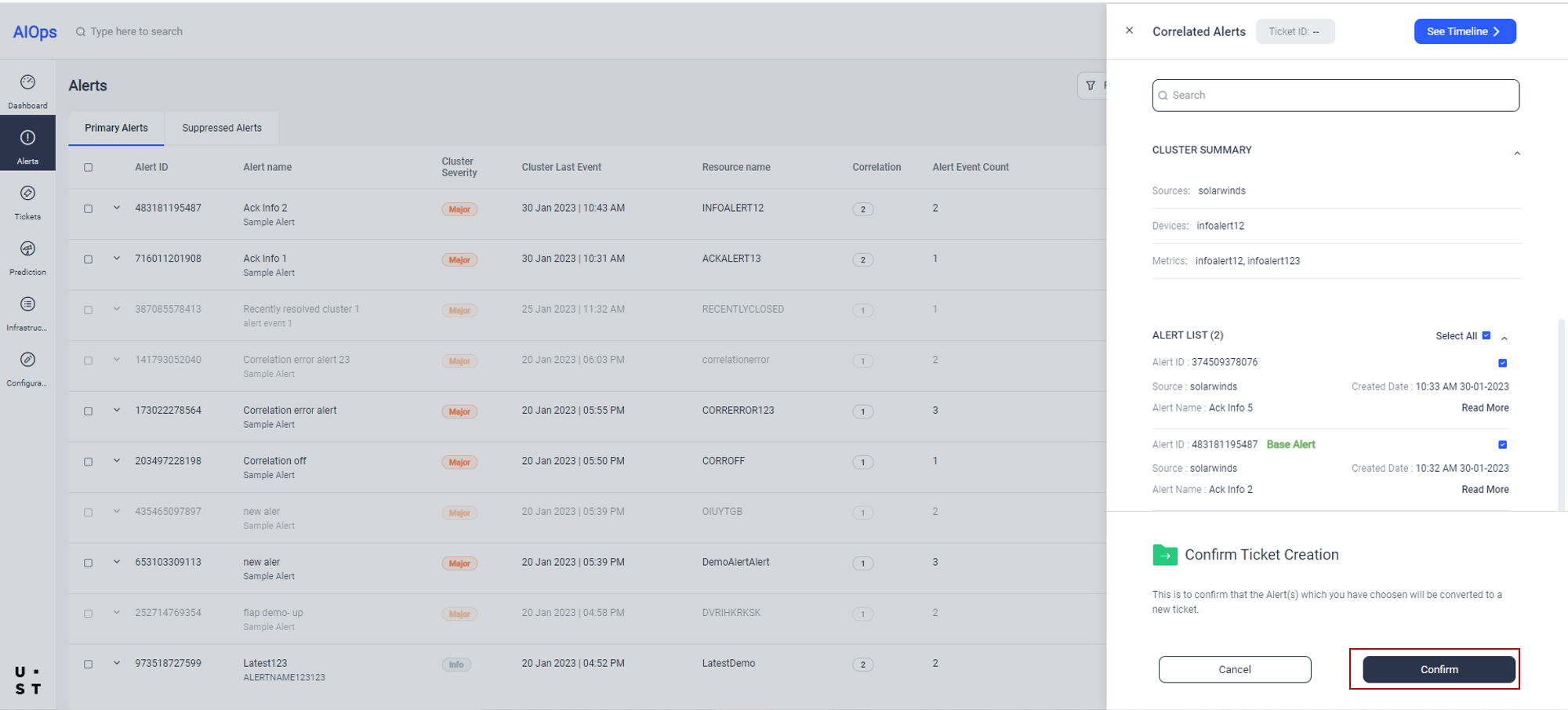
Click on Confirm button to confirm the ticket creation. Success message will appear confirming the successful creation of ticket.
The created ticket will get listed in the Tickets tab.
`
Copyright © 2025 UST . All Rights Reserved.