
Alert Cluster Timeline
Screen Navigation: AIOps > Project > Alerts

The Alert Cluster Timeline displays the lifecycle for each alert and its significant event updates.
The timeline offers visualization of how the problem represented by a particular alert cluster unfolded. The key events in the alert lifecycle are visualized in the timeline. Use the timeline to analyze the problem at hand, see how it progressed and determine probable triggers.
Select the bubble corresponding to the correlation field in the Alerts page. Alert Cluster popup will appear showing the details of correlated alerts.
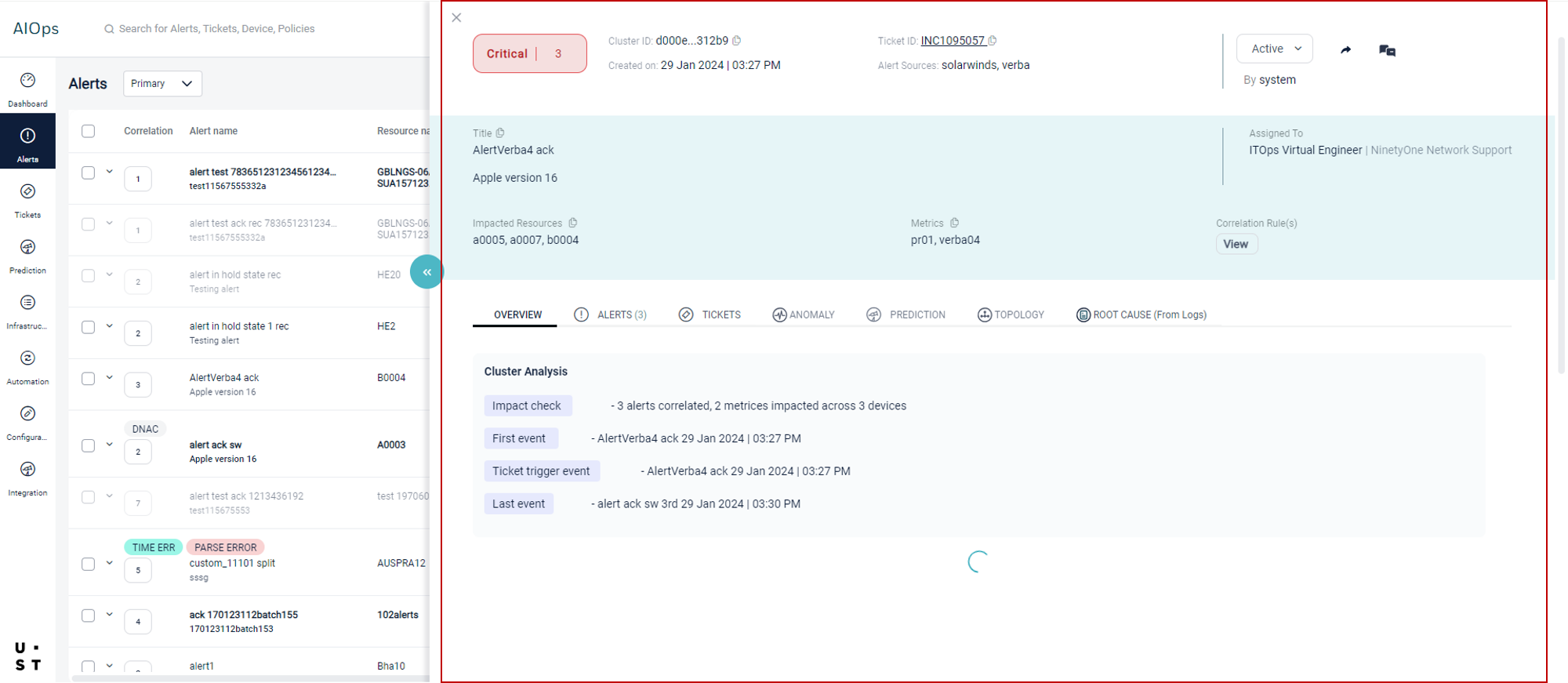
By default, Overview tab will be selected. Select the Alerts tab and click on View Timeline button.
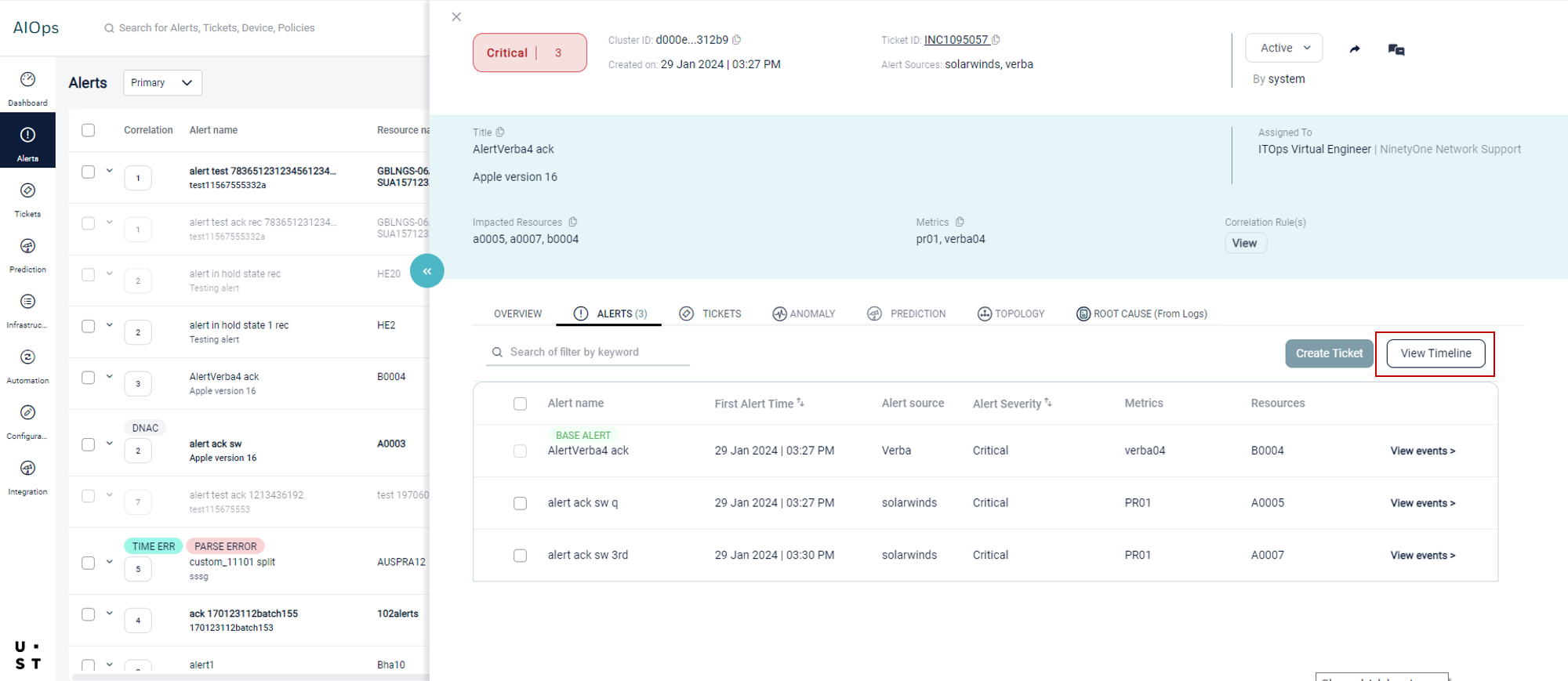
Alert Cluster Timeline page will appear.
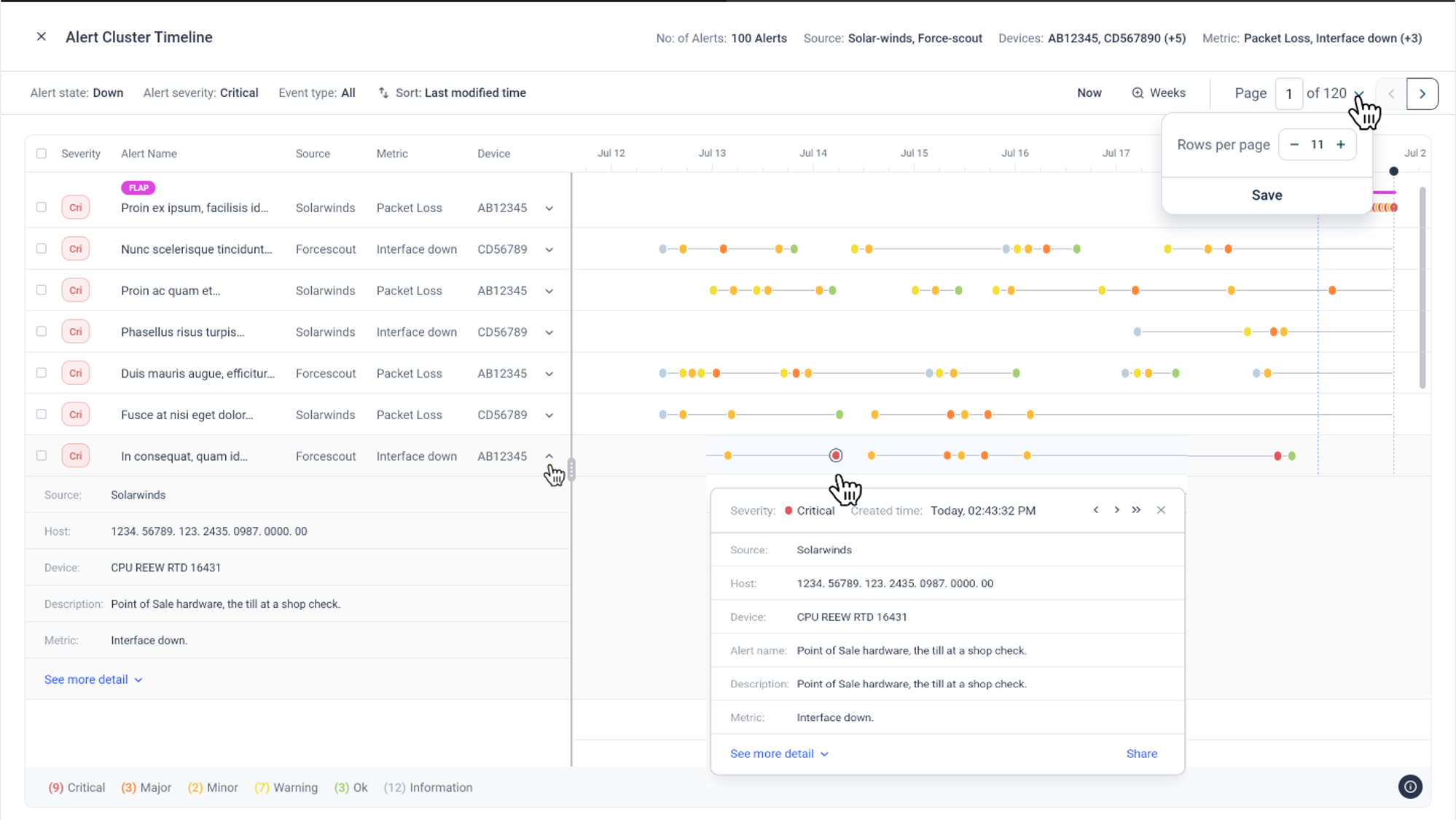
Each row in the timeline represents an individual de-duped alert, each dot representing a significant event in the life cycle of that alert.
Alert details can be obtained by expanding the dropdown corresponding to an alert, and selecting Show more Details.
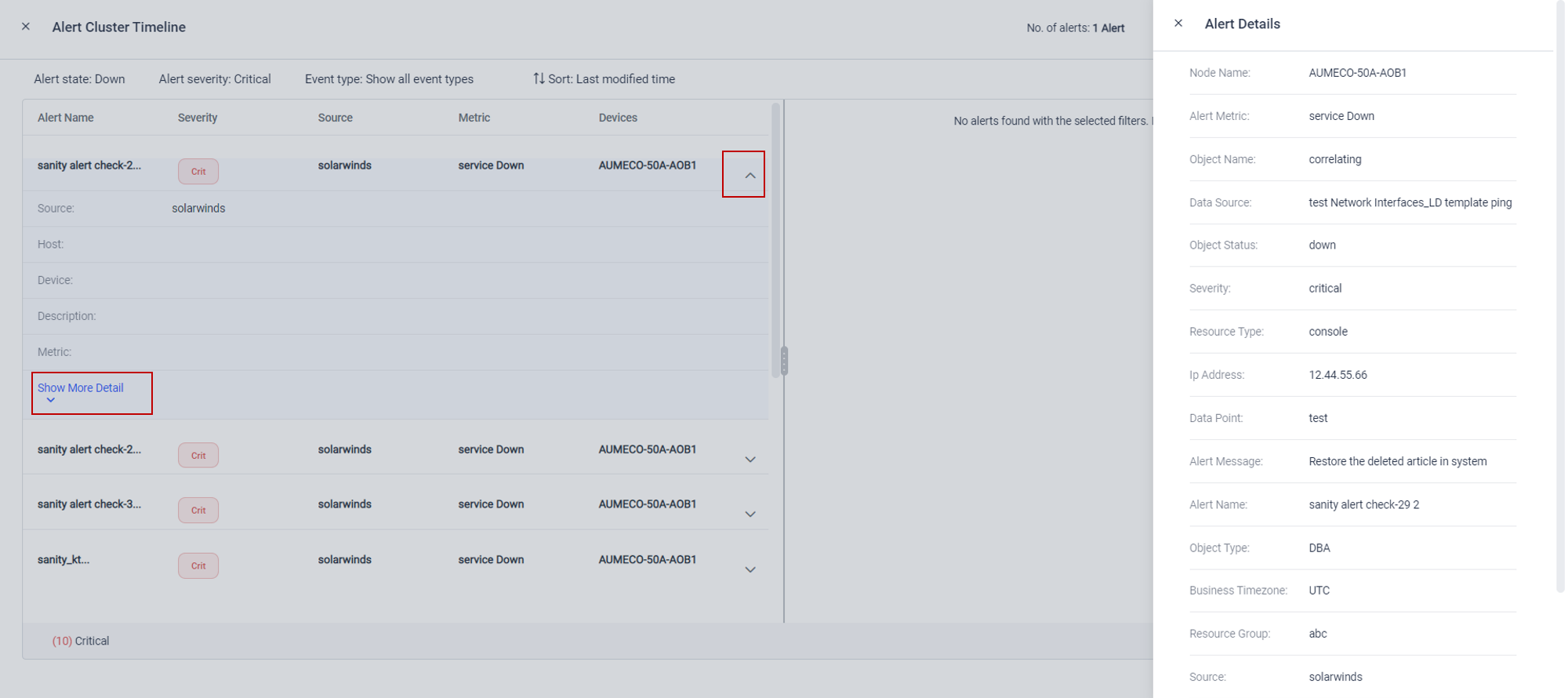
Alert Cluster Timeline can be filtered by Alert state, Alert severity and Event type. Change the filter and save to view related alerts.
Please note that only significant events are shown in the timeline to reduce clutter.
Copyright © 2025 UST . All Rights Reserved.